There is this wonderful module for Drupal 7 called Content Menu. It allows site builders and content authors to build their site's menu structure at the same time as they are adding content and does it in a very cool way with a workflow that simply makes sense.
It's features include: - [ ] Creating "dummy" menu links that serve as placeholders for when the actual content is created at a later stage. Related issue: #422 - [ ] Choosing an already existing piece of content to point to when creating new menu items. This is done using a view as a content browser/selector where people can search for or filter down to specific content from all that is available on their website.
https://www.drupal.org/files/images/menu-2-existing-content.png - [ ] Creating a new piece of content at the same time as the menu item is created.
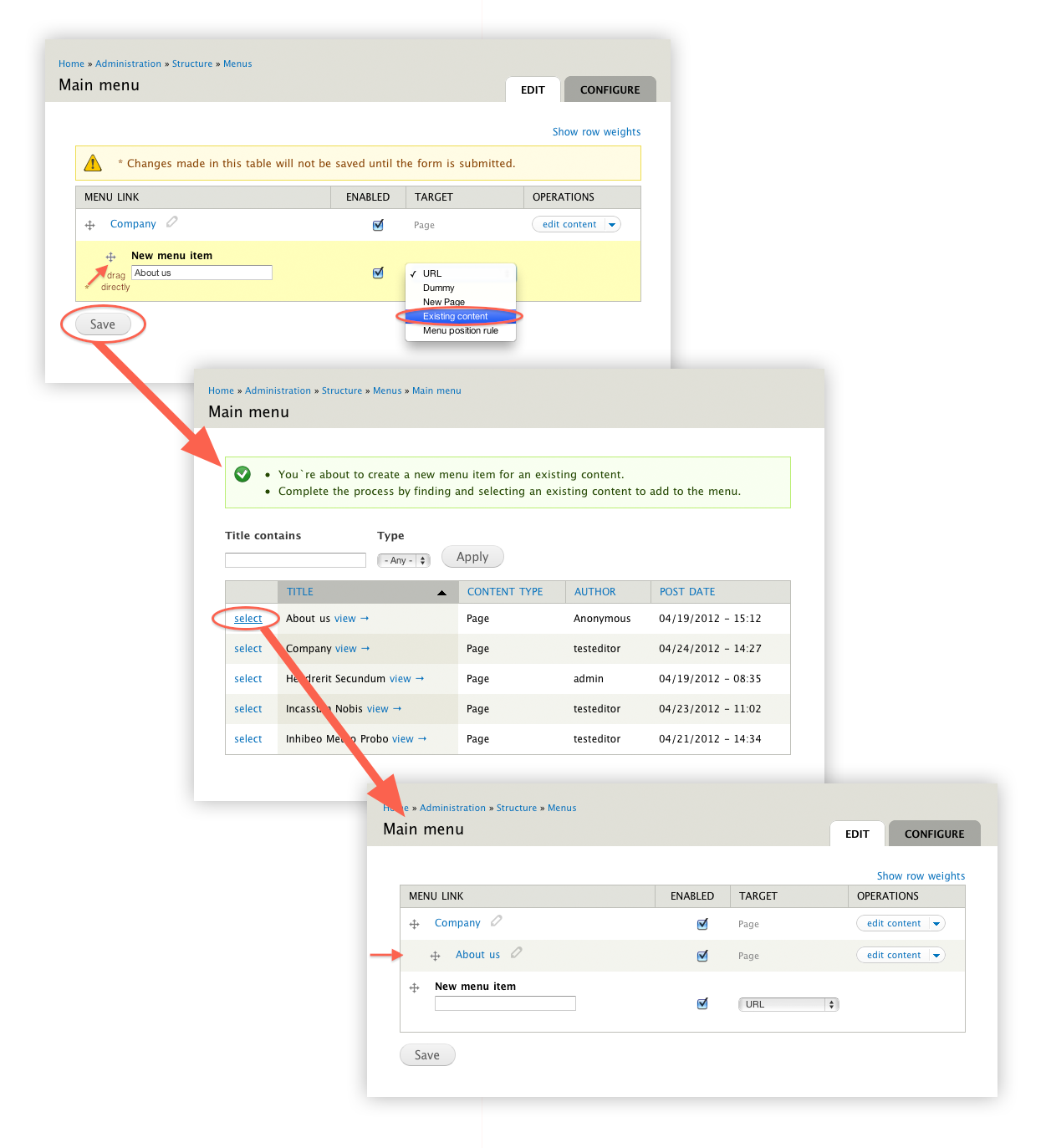
https://www.drupal.org/files/images/menu%200%20-%20edit%20content.PNG

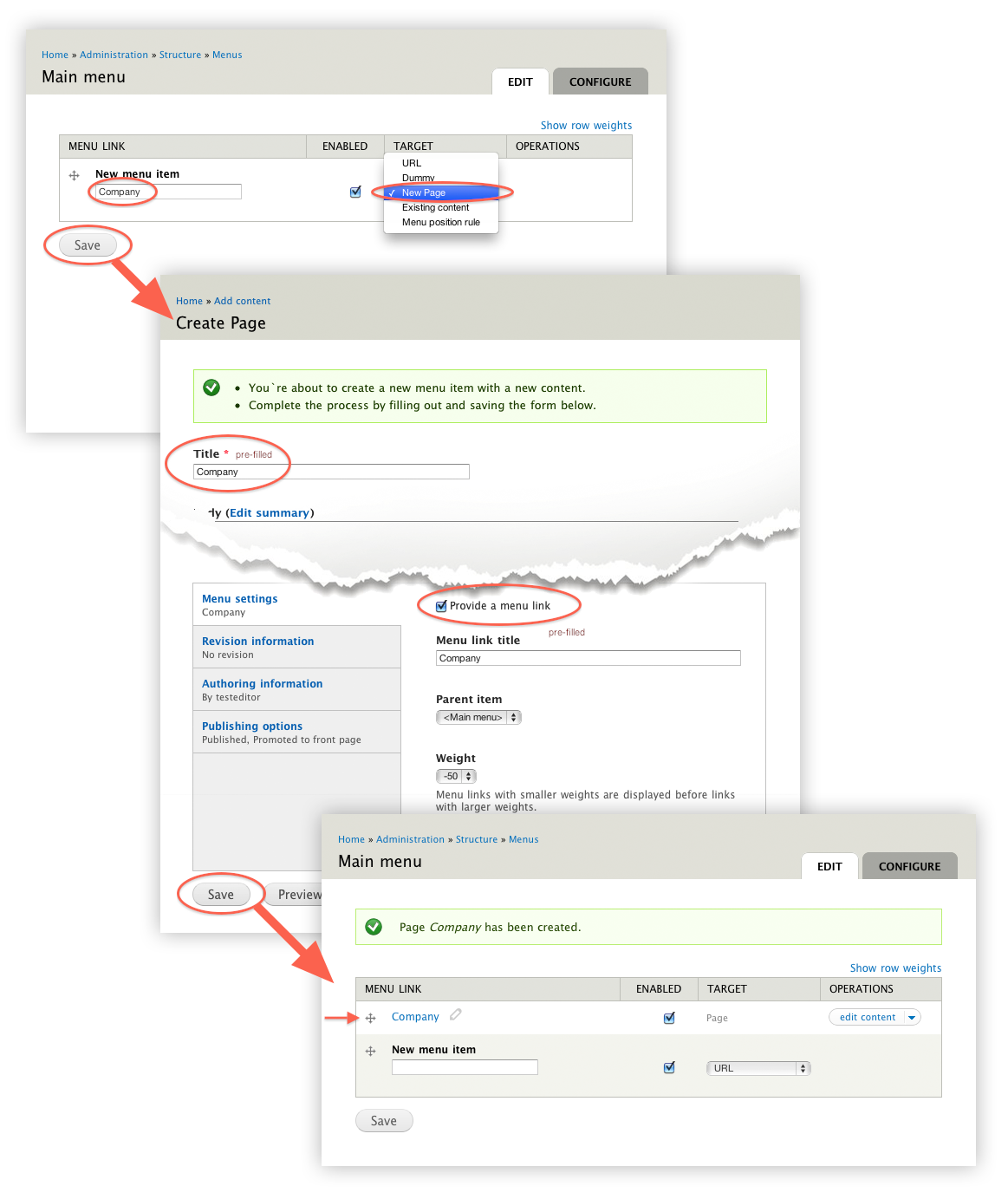
Recent comments
Could be a trivial thing like Permissions -> Access administration bar (for a role)?
User seeing admin stuff
Can you paste or screenshot the error you encounter?
How to upload js and gz files
wont work, it is hard coded to be blocked.
How to upload js and gz files