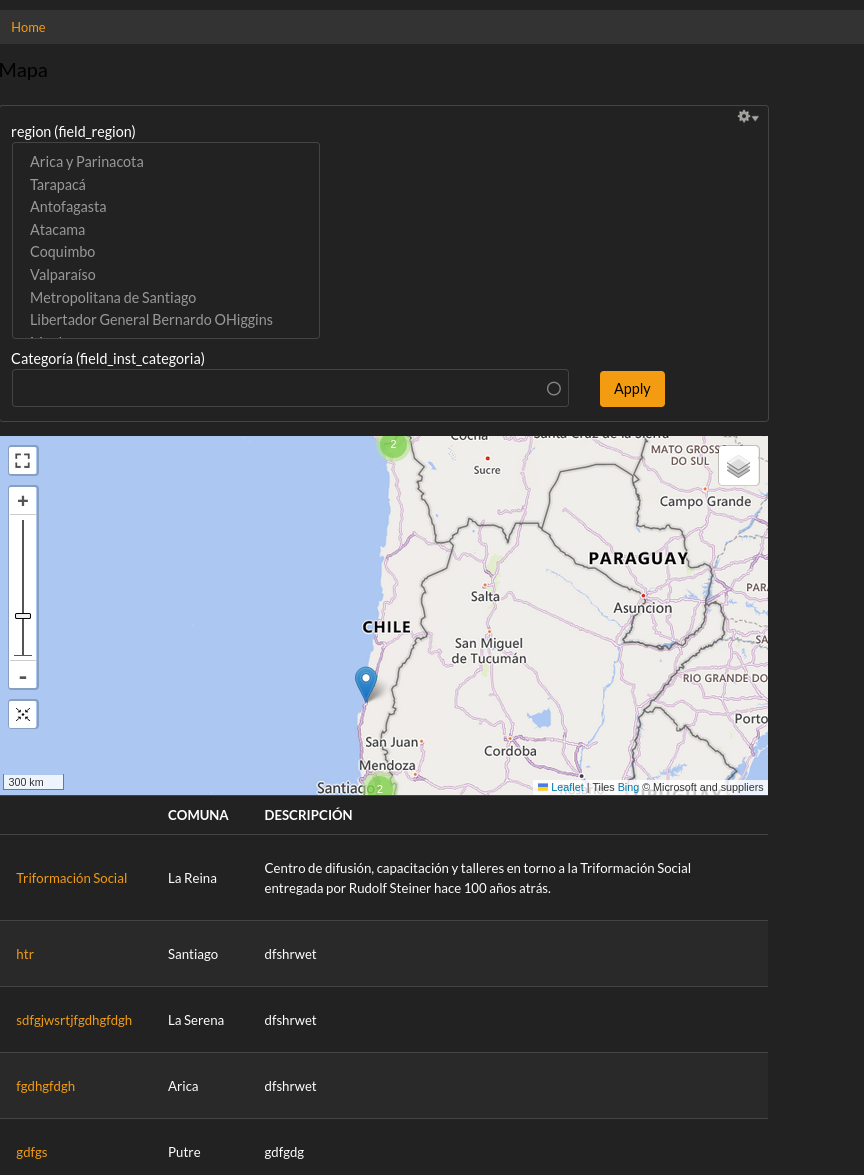
Is it possible to have two different Views formats for one single view?

In other words:

I have a view in which you apply filters and it lists the content results in table format.

I cloned that view but changed the view format to a Leaflet map.

so I have two different views, but I would like the user to be able to just apply the filters and be shown BOTH the list table AND the map.

Is it possible? 

thanks!
Accepted answer

I would like the user to be able to just apply the filters and be shown BOTH the list table AND the map.

Is it possible? 

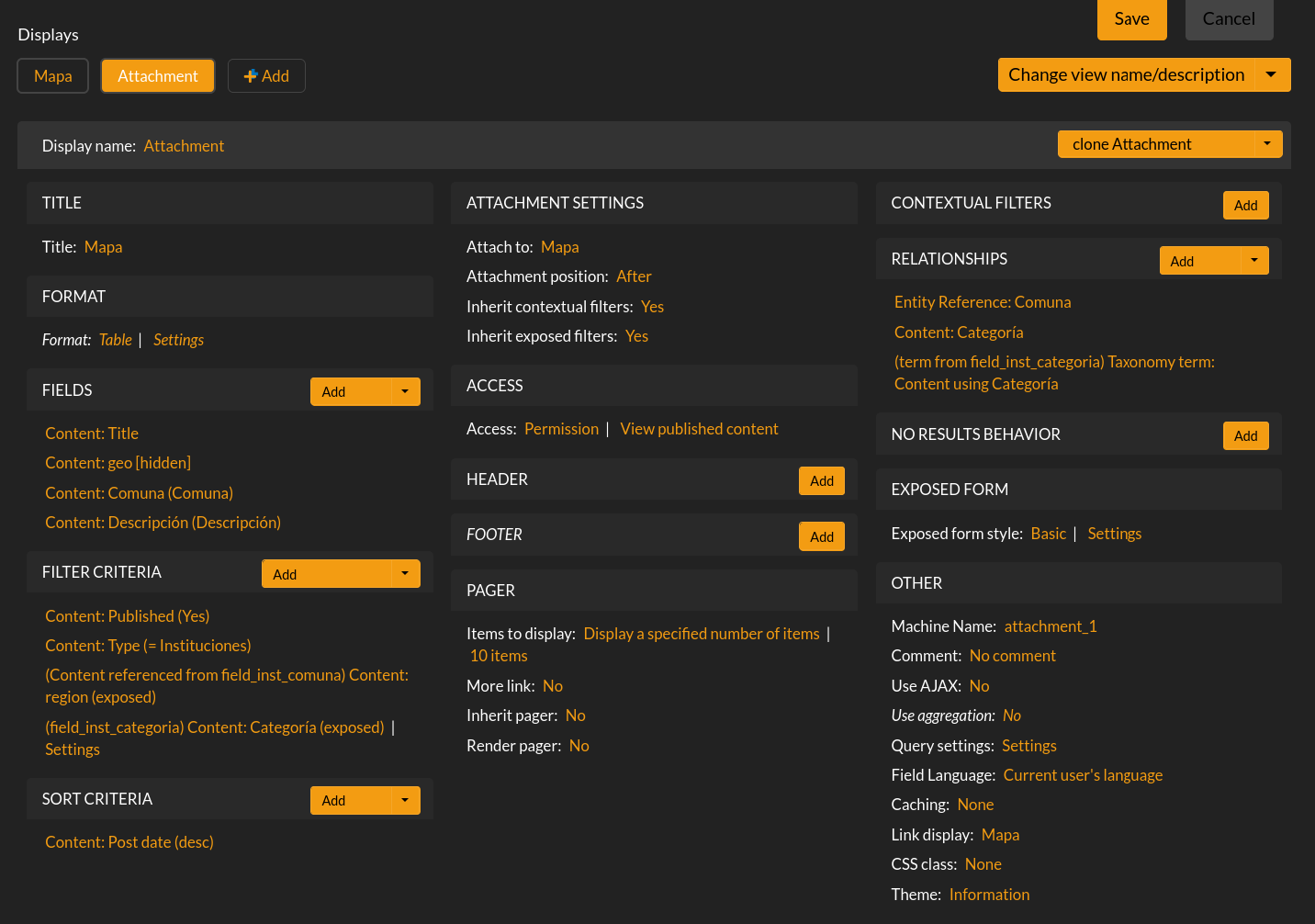
Yes, of course. You can use Views attachments for that.

Given you have a map view, then (in the same view) add an attachment type (by the "add" button on top). Then override the display and fields as you like (for a table view), but keep the same filters. And attach it to the page display. Attachments can be above or below, or both.

It can be a bit "fiddly" if you're not familiar with Views, but it's possible.

Comments

You can insert the leaflet view in the footer of the other one. The footer settings allow you to insert another view there, and even share the filter

This kinda works but it shows on the footer another exposed filter selection. It has the selection of the main view, but it is shown anyway. I would like the exposed filter selection to be shown only once.

indigoxela's picture

I would like the user to be able to just apply the filters and be shown BOTH the list table AND the map.

Is it possible? 

Yes, of course. You can use Views attachments for that.

Given you have a map view, then (in the same view) add an attachment type (by the "add" button on top). Then override the display and fields as you like (for a table view), but keep the same filters. And attach it to the page display. Attachments can be above or below, or both.

It can be a bit "fiddly" if you're not familiar with Views, but it's possible.

thanks!

this worked for me, I'll try to list it easily for anyone to follow.

  1. Add an attachment type above, where it says "Displays"
  2. Change its format but when popup appears, click on "All Displays" and select "this attachment (override)"
  3. Go to the main display (in this case the map, and add a footer. Select "view area" and then select the attachment you just created. Click on :"inherit contextual filters". Also here, click click on "All Displays" and select "this page (override)"

Thanks a lot!

indigoxela's picture

Awesome, great that you figured out!

indigoxela's picture

Seems like you're embedding something that embeds the same...

Maybe try to clean up a bit. Do you additionally use the view embedded in an area? That should get removed. Only use the attachment.

that was it!

I have to get used that I have to explicitly select where it says "all views" and select "this attachement" instead; not only for the format but also for the footer.

just edited my previous post to clarify that.

thanks!

indigoxela's picture

I don't think, you got it right, yet.

To select where the attachment is displayed, you set that in the attachment's setting. Remove all area embed stuff.

That are two different approaches. The attachment will get attached automatically if set. No need for any additional setting on the main page display.

I'm not sure I'm getting it.

It is working as intended now.

Let me post you some images.

Thanks!