Nice! Thanks for posting those two JavaScript (JS) and Cascading Style Sheet (CSS) snippets. Very helpful!
For newbies or visitors from the future: While the above JS and CSS snippets can be directly embedded in an HTML file (the old way), the new way of doing things is to just reference them in an HTML file, but have their code reside in physically separate files (.js, .css) in specially designated places in the file system (/js, /css). For additional background, please see:
I recently ran into the same error:
Exception: The configuration directory in settings.php is specified as
'files/config_[some-random-CMI-ID-here]/active', but this...
Thanks! Yes,
You can check out the dev branch on GitHub here: https://github.com/shabib-m/tailwindcss/tree/dev
Note: I’ve just pushed an update to the dev branch adding the Dark Mode...
Comments
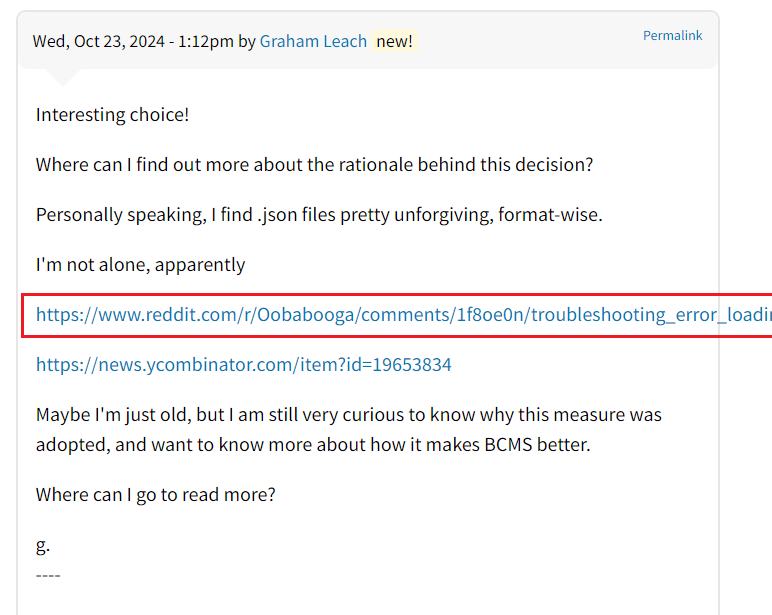
This problem has been around quite a while. I'm not sure if anyone has opened an issue for it yet in the forum.backdropcms.org issue queue:
https://github.com/backdrop-ops/forum.backdropcms.org/issues
If someone opens an issue, I'll try to bring this up at one of our upcoming dev meetings.
Hello @stpaultim,
Have opened issue as you suggest:
https://github.com/backdrop-ops/forum.backdropcms.org/issues/153
Have opened ckeditor 5 issue
https://github.com/ckeditor/ckeditor5/issues/17310
Have posted issue screenshot:
https://ibb.co/wLkWkyH
I suggest we use a url shortener (for long urls) until this situation is resolved:
https://www.shorturl.at/
g.
----
$('.field-name-comment-body a').each(function() {
if ($(this).text().search('http') == 0) {
$(this).attr('title', $(this).attr('href')).addClass('compressed-link');
}
});
.compressed-link {
display: inline-block;
max-width: 30%;
white-space: nowrap;
overflow: hidden;
text-overflow: ellipsis;
}
Heya @Enthusiast,
Nice! Thanks for posting those two JavaScript (JS) and Cascading Style Sheet (CSS) snippets. Very helpful!
For newbies or visitors from the future: While the above JS and CSS snippets can be directly embedded in an HTML file (the old way), the new way of doing things is to just reference them in an HTML file, but have their code reside in physically separate files (.js, .css) in specially designated places in the file system (/js, /css). For additional background, please see:
Reddit: How do HTML, CSS and JavaScript Co-Exist?
g.
----
Hello Everyone,
I got an answer from the people at CKEDITOR5: