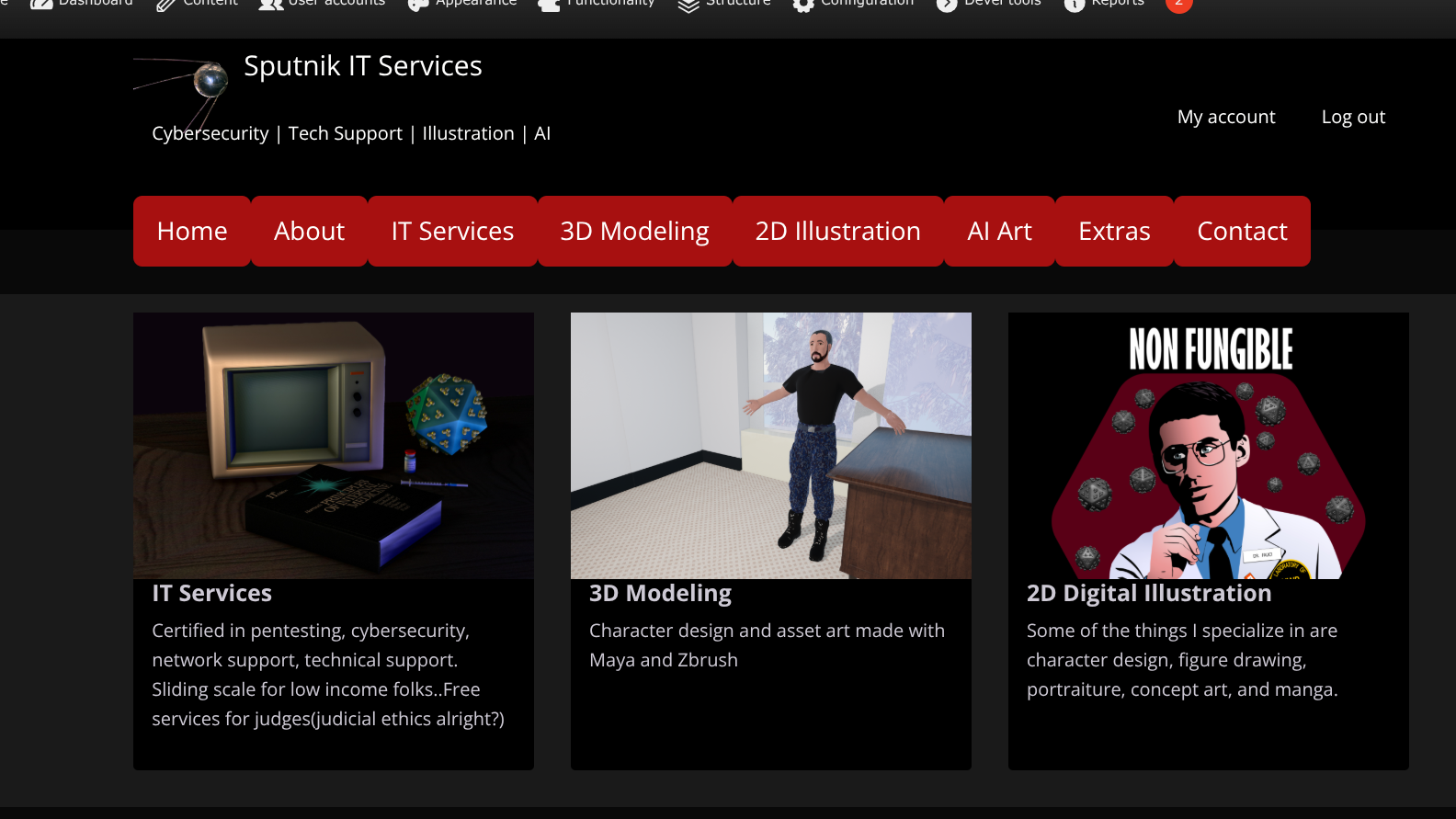
This has stumped me for a long time. I am trying to use the code below to animate the links in the header and I got the elements around it to animate but I don't know where this is inheriting from so its not showing any of my attempted edits. Tried css injector too. I assume the part I need to edit is l-header .menu > li but that didn't show up. I managed to change the color. The theme is tatsu. What class do I override or do I need to use javascript for this? Screenshot of the site below. Any advice is appreciated
<!-- HTML !-->
<button class="button-85" role="button">Button 85</button>

/* CSS */
.button-85 {
  padding: 0.6em 2em;
  border: none;
  outline: none;
  color: rgb(255, 255, 255);
  background: #111;
  cursor: pointer;
  position: relative;
  z-index: 0;
  border-radius: 10px;
  user-select: none;
  -webkit-user-select: none;
  touch-action: manipulation;
}

.button-85:before {
  content: "";
  background: linear-gradient(
    45deg,
    #ff0000,
    #ff7300,
    #fffb00,
    #48ff00,
    #00ffd5,
    #002bff,
    #7a00ff,
    #ff00c8,
    #ff0000
  );
  position: absolute;
  top: -2px;
  left: -2px;
  background-size: 400%;
  z-index: -1;
  filter: blur(5px);
  -webkit-filter: blur(5px);
  width: calc(100% + 4px);
  height: calc(100% + 4px);
  animation: glowing-button-85 20s linear infinite;
  transition: opacity 0.3s ease-in-out;
  border-radius: 10px;
}

@keyframes glowing-button-85 {
  0% {
    background-position: 0 0;
  }
  50% {
    background-position: 400% 0;
  }
  100% {
    background-position: 0 0;
  }
}

.button-85:after {
  z-index: -1;
  content: "";
  position: absolute;
  width: 100%;
  height: 100%;
  background: #222;
  left: 0;
  top: 0;
  border-radius: 10px;
}
Recent comments
here's the view when not logged in (ie with no 'sustainable computing' visible but is visible when i login as admin:
menu partially working
This is good enough, but maybe the module maintainer would like to add such a feature.
specific webform permissions
This should be allowed atleast on private files directory. Accepted your answer though.
How to upload js and gz files
This is a security precaution. It's not recommended and it's not documented in the settings.php file, but you can set allow_insecure_uploads to be TRUE if you wish to allow uploading files like...
How to upload js and gz files
You could also just add an image field to the content type but not display it and instead reference them in your markdown.
Images Disappearing from inline-images